One system for every fleet in Rwanda.
From car rentals to heavy construction — manage vehicles, drivers, and jobs in one purpose-built platform, with onboarding and support from our Kigali-based team.
Who It's For
Built for every type of vehicle business.
FleetDesk adapts to your operation — every segment gets its own dashboard, workflows, and reports.
Car Rental
Manage vehicles, rentals, deposits, handovers, and receipts in one structured workflow.
Car Dealership
Track inventory status, test drives, vehicle loans, and pre-sale preparation across your lot.
Freight & Logistics
Dispatch jobs, run pre-departure compliance checks, log fuel and expenses, and manage drivers.
Construction
Deploy assets to project sites, track operator hours, log fuel, and manage hired equipment.
Bus & Vehicle Hire
Manage bookings, assign drivers, track deposits, and log pre and post-hire vehicle conditions.
Operational Outcomes
What changes when you use FleetDesk.
Faster turnarounds
Reduce handover and return time with structured workflows and checklists.
Payment accuracy
Track deposits, charges, and refunds with clear records and a full history of every change.
Real-time fleet visibility
See vehicle availability and status instantly — no more calling around to check.
Less manual reporting
Generate revenue and utilisation reports in seconds, not hours.
Product Preview
A clear control panel for modern fleet operations.
Example shown: Car Rental module — each business type has its own dedicated dashboard and module layout. The pictures use made-up sample data.
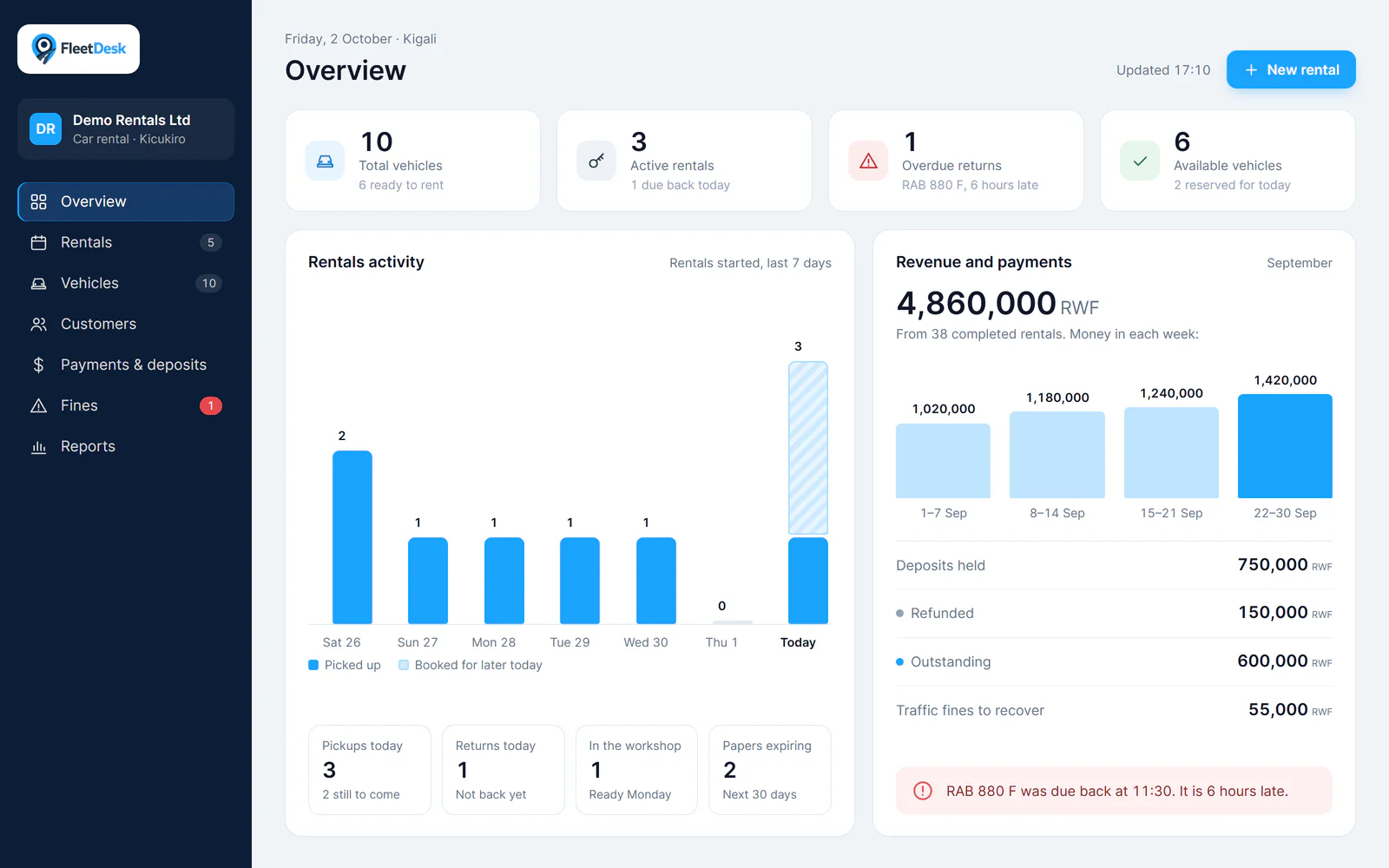
Dashboard
See all your cars in one place: how many are on rent, how many are free, and which ones are late coming back. Rentals, money and deposits update as they happen.
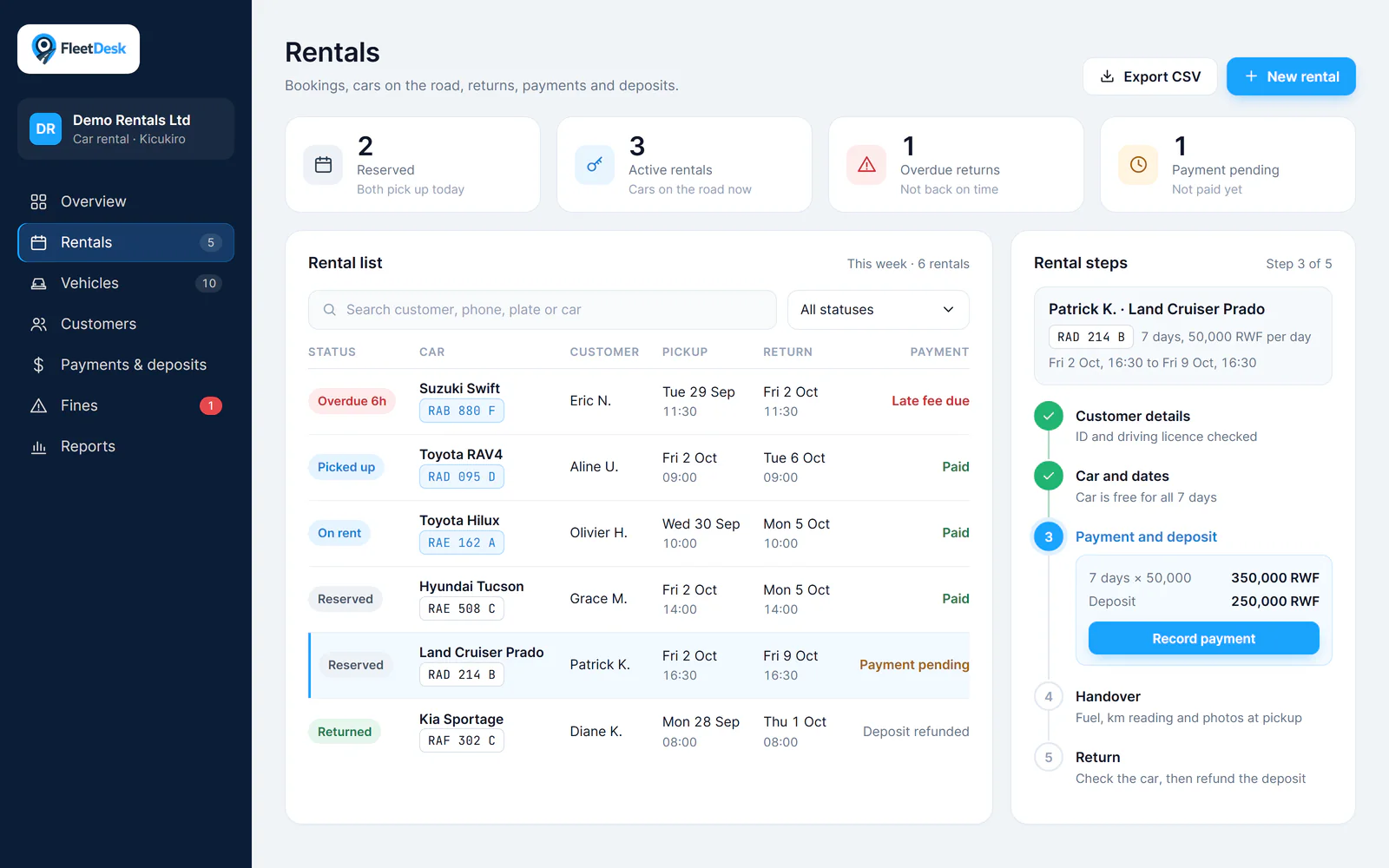
Rentals
See every rental in one list: booked, on the road, late, or not paid yet. A step-by-step guide takes you through each rental, from the customer's details to the return.
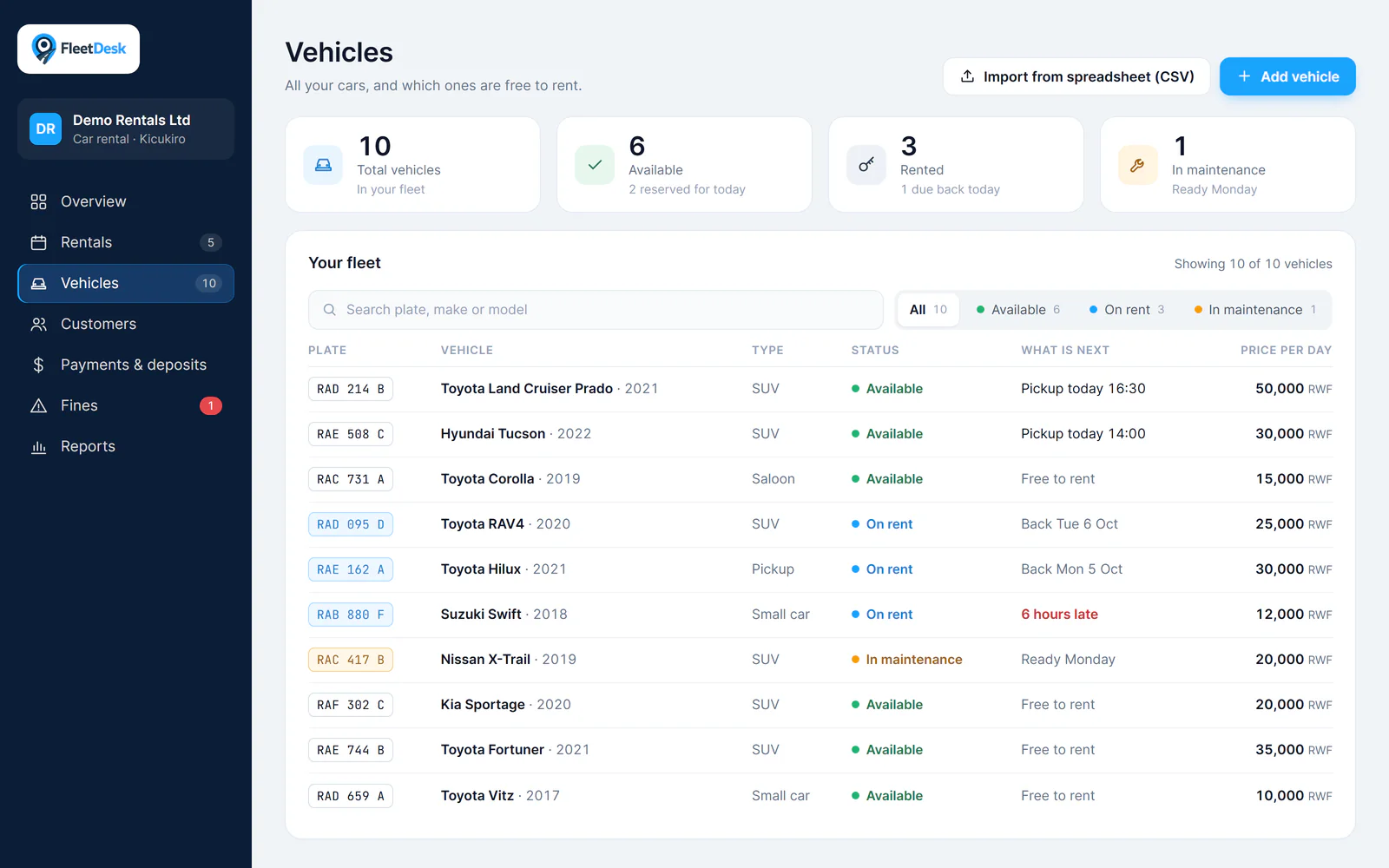
Vehicles
See how many cars are free, on rent or in maintenance. Search by plate or model, and filter by status. Add many cars at once from a spreadsheet.
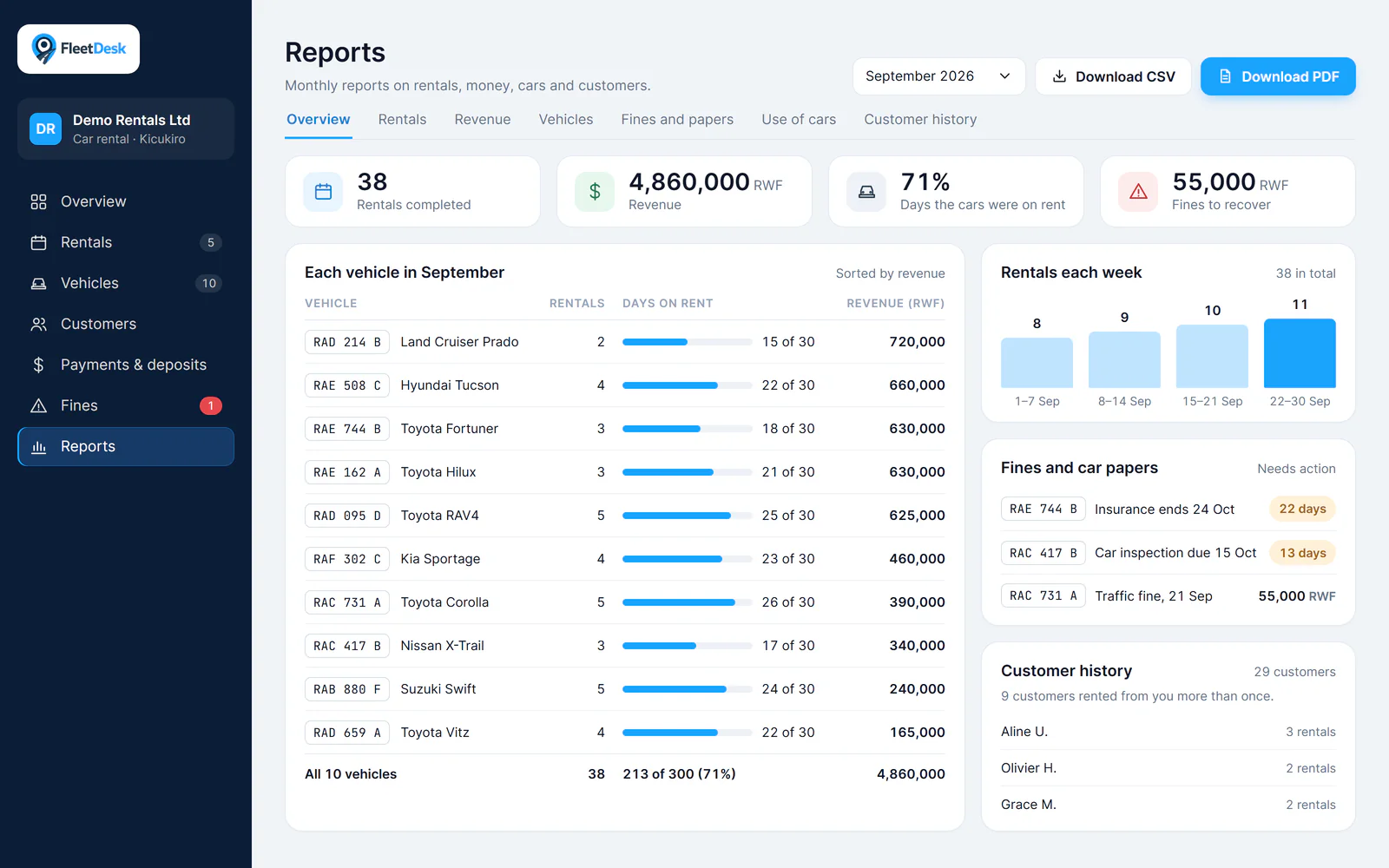
Reports
Get a report for each month: rentals, money earned, each car, fines and car papers, how often each car is rented, and customer history. Download it as a PDF or a spreadsheet (CSV).
Platform Features
Everything your operation needs, in one place.
Segment-specific dashboards
A purpose-built home screen for your business type — dispatch board for freight, booking calendar for bus hire, inventory board for dealerships, and site overview for construction.
Structured operational workflows
Step-by-step workflows for every core operation: rentals, transport jobs, bookings, vehicle loans, and equipment deployments — each with full status tracking and edit history.
Fleet and asset visibility
Real-time status for every vehicle, truck, bus, and piece of equipment — available, deployed, on trip, under maintenance, or blocked — across your entire operation.
Driver and operator management
Driver registries, license and compliance document tracking, availability management, and assignment history across all fleet types and business segments.
Compliance and document alerts
Automatic 60/30/0-day alerts for expiring vehicle documents, driver licenses, and permits — with pre-departure compliance blocking for freight and logistics operations.
Reporting and records
Revenue, utilisation, trip profitability, and cost reports exportable as PDF or CSV — with audit-ready receipts, invoices, and hire agreements built in.
Receipts and Records
Ready for audits, straight from the system.
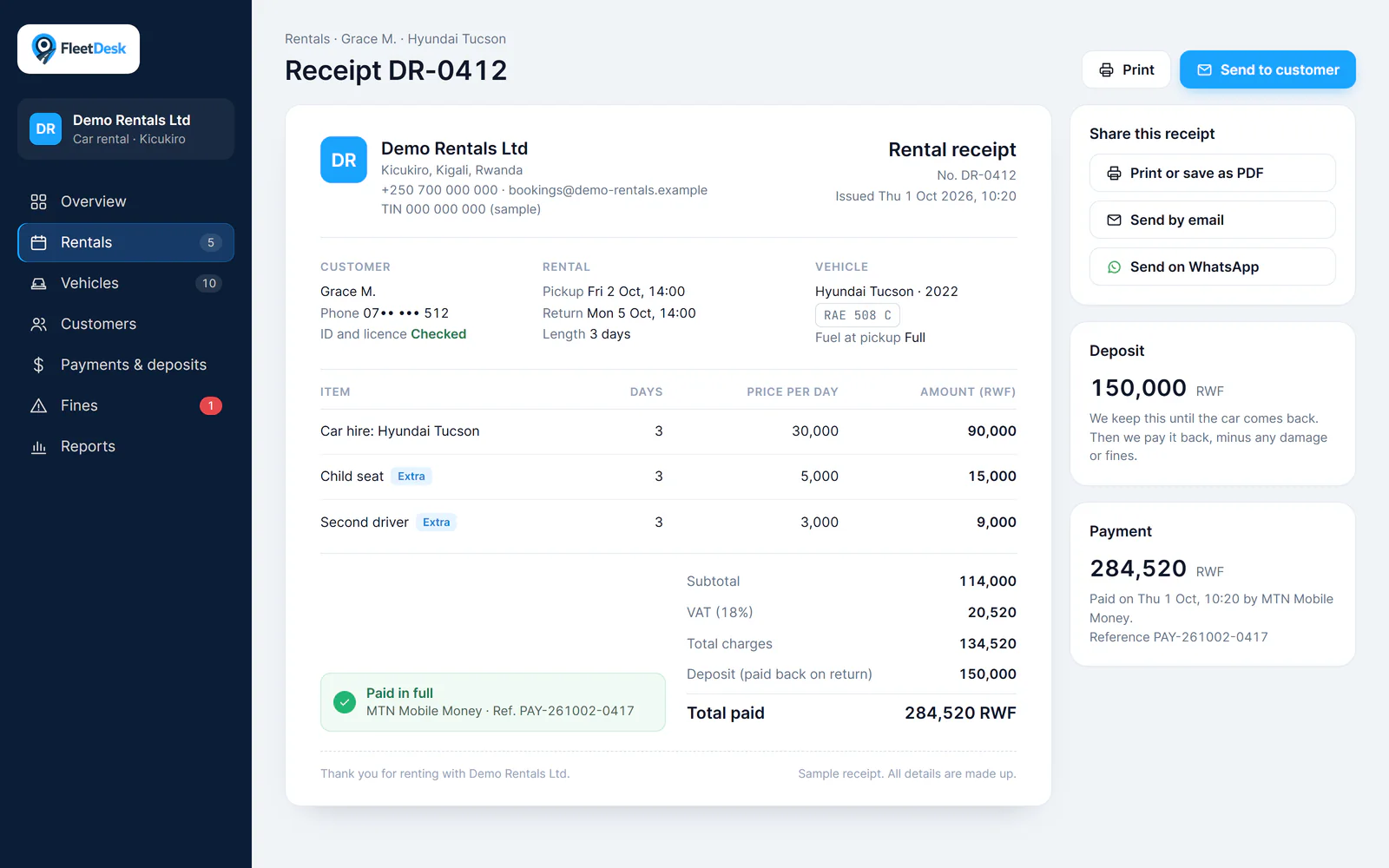
Generate professional, tax-ready receipts at opening and closing — with full customer details, vehicle info, rental dates, and itemised charges built in.
- Automatic VAT calculations with configurable rates
- Itemised charges, extras, and deposit tracking
- Payment reference numbers for reconciliation
- Company branding and TIN details
- Ready for print, email, and WhatsApp sharing
Demo Request
See FleetDesk in 30 minutes.
We tailor the walkthrough to your workflow and answer setup questions based on your operation.
What to expect
Tailored demo mapped to your fleet operation and business type
Implementation guidance covering setup, timeline, and team enablement
Pricing recommendations aligned to your fleet profile and location structure
We reply within one business day. Average demo length: 30–45 minutes.